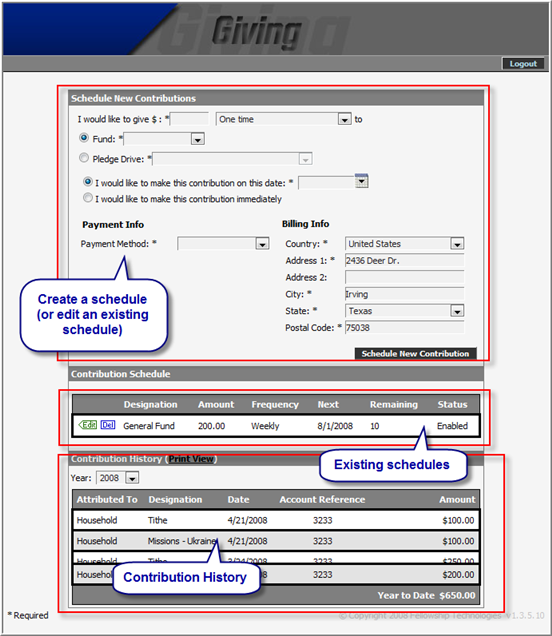
Online Giving allows your attendees and members (and any website visitor) to create scheduled giving. This convenient feature is great for promoting faithful stewardship at your church.
As shown below, Online Giving allows people to create new schedules, manage and view existing schedules, and finally, to view contribution history.
Contribution History and the Print View display all giving that has been entered into Fellowship One through Online Giving, the Giving tab in Fellowship One, or through Fellowship One Contributions (check scanning application).
The caveat to this is that contribution history is not always displayed for people who have just created an account. If a person has created a new account and it does not match an existing record in Fellowship One, a new record is created. Until you merge the duplicate with the user’s member/attendee record, the contribution history will not be complete.
Note: All other features of Online Giving are fully functional the moment a user creates an account through your website.
A duplicate will not be created if the user creates an account where the following match the individual's record: